
Highlights
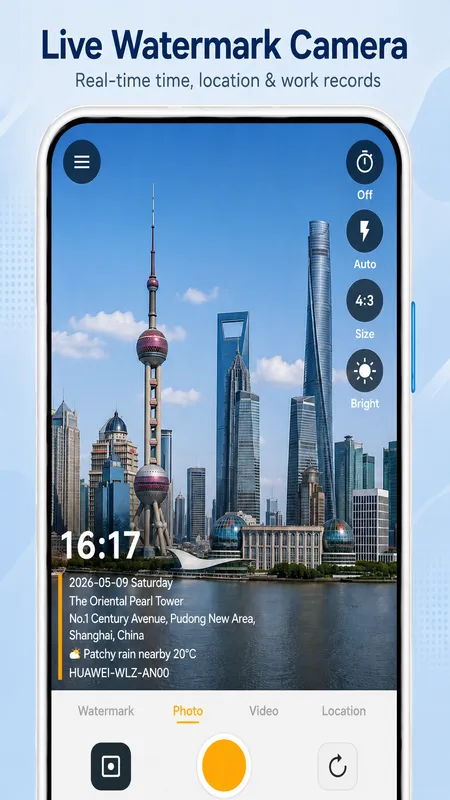
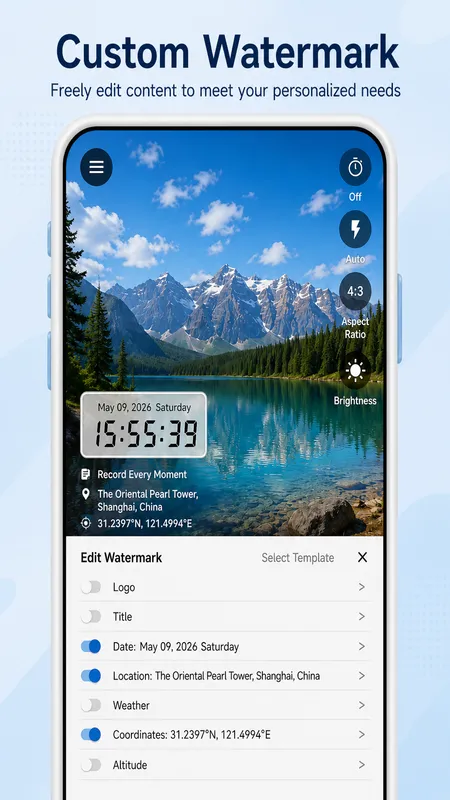
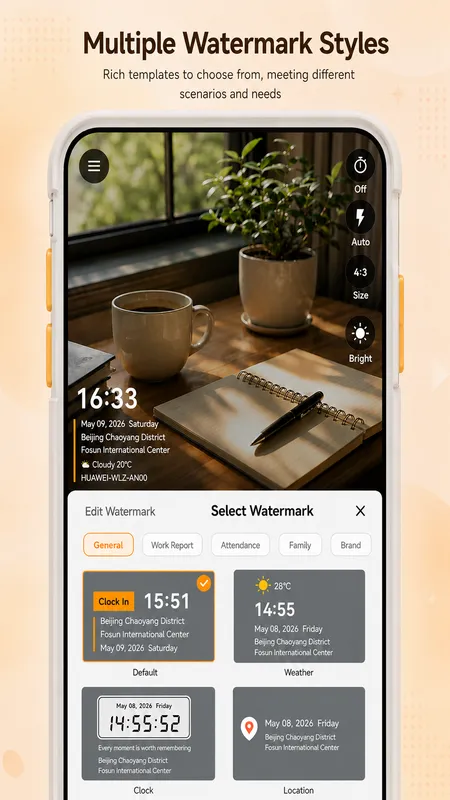
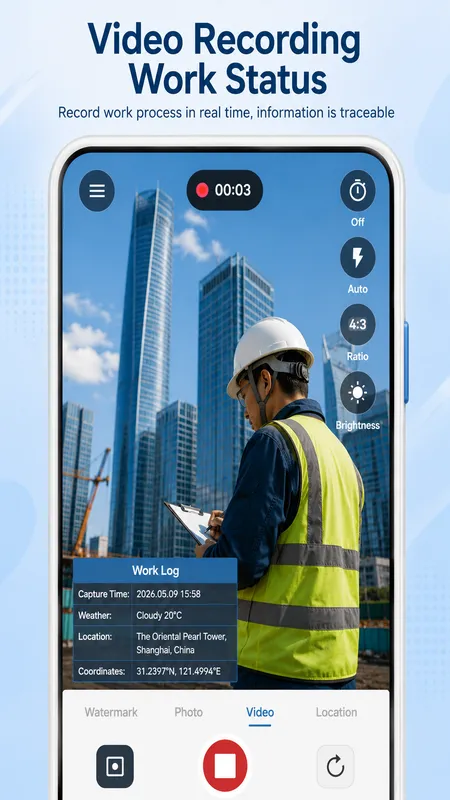
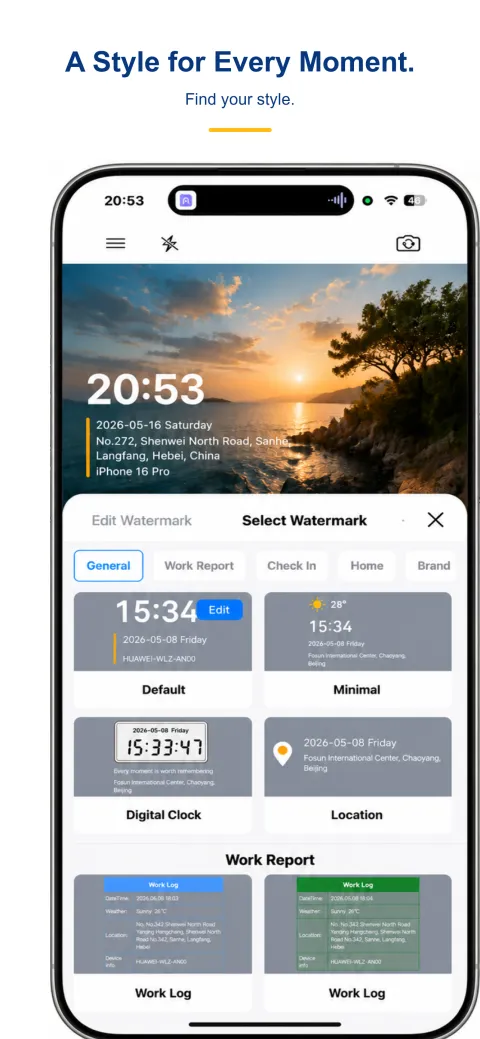
A stamp for every kind of day.
From a day on site to a coffee around the corner. Find a style that fits your moment.
Android style previews. Sample text is illustrative; available styles may vary by platform and version.
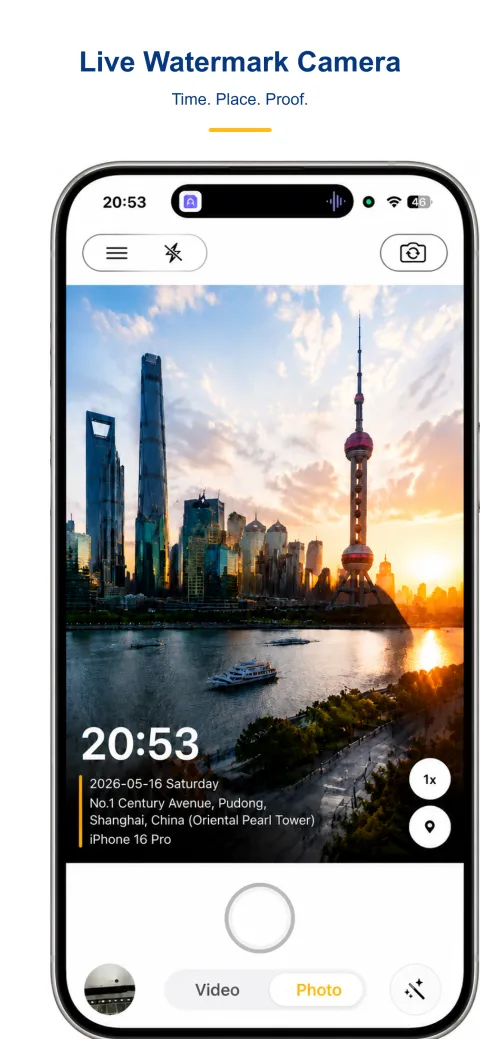
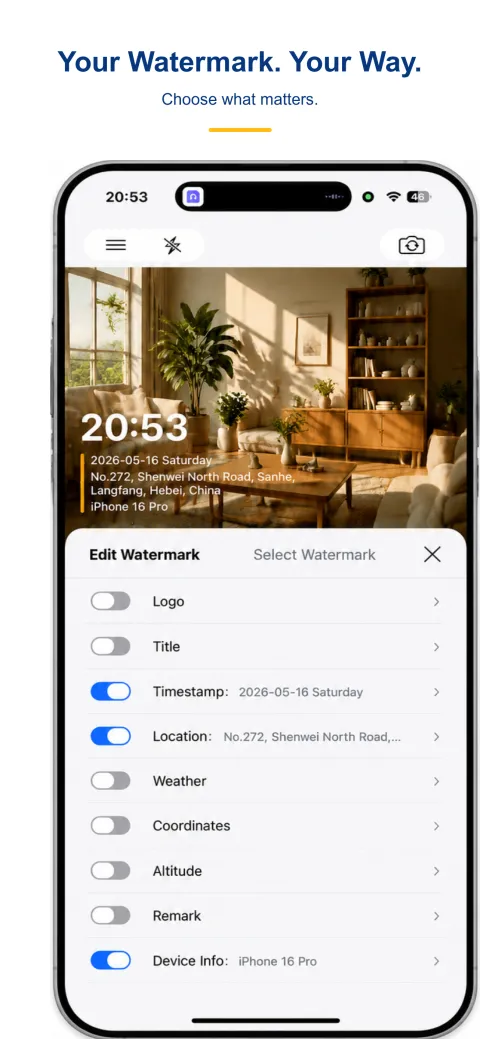
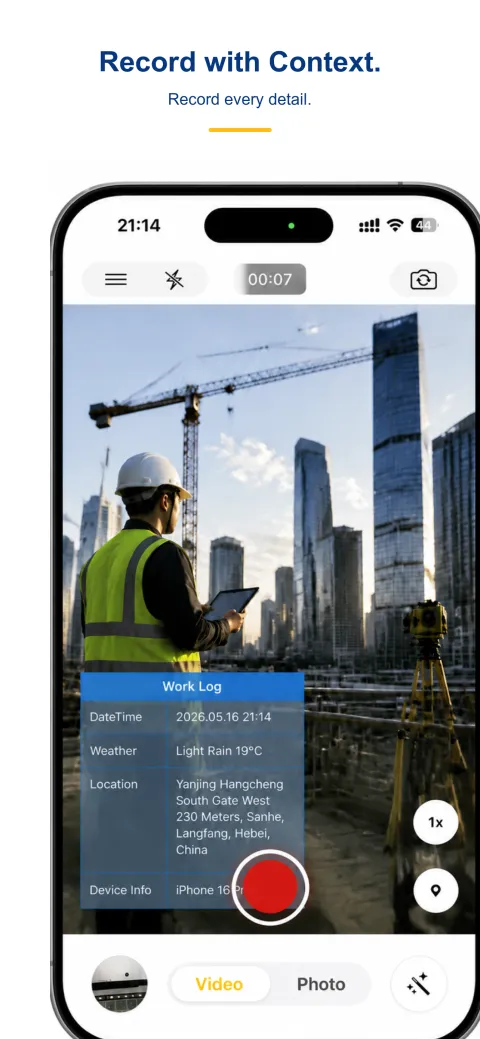
Interface Preview
Swipe to explore the real interface
Get started in 3 steps
From open to share in just three steps
Capture
Open the app and shoot — the watermark is burned in the moment you capture
Enable watermark · pick a style
Turn on time and location watermark with one tap, then choose a style you like
Export · share
Photos with timestamp and GPS are ready to export and share anytime
Who uses StampCam
Different roles, one trustworthy record
Traveler
Log GPS tracks and check-in coordinates — your trip is traceable
Parent / family
A time-and-place mark of your child growth, memories with proof
Food blogger
Real proof of when and where you visited, making content more credible
Engineer / inspection
On-site timestamp as work evidence, no disputes at acceptance
Core Features
Visible context; check the saved file.
- ✓Timestamp camera for photos
Add a time stamp and date label as you capture. Include an address, GPS coordinates, weather or notes when the selected style has space for those fields and the required data is available. - ✓Add location to photos
Use a GPS camera with time stamp for inspections, construction, field service and travel records. Enable location access and check the saved image for the selected coordinates or address. - ✓Timestamp video app
Record new videos with visible date and time, or choose photo and collage modes. Available watermark styles and controls depend on your platform and version. - ✓Fully on-device
StampCam processes and saves photos and videos on your device without an account. Local media processing does not mean zero network traffic: address, weather, map and some elevation services can receive location data. Analytics and store services may also use a connection. Sharing and system photo backup follow your own settings.
Photo and video guides
Find the right method for new captures and existing photos. Compare timestamp camera apps or review features and limits.
How to add date and time to photos on iPhone
Choose a timestamp camera for iPhone for new photos, or learn how to add a timestamp to a photo you already took using Markup or Shortcuts.
Add location to photos with GPS
Choose visible coordinate fields, review location permissions, and check your saved photo for a readable GPS stamp.
Record video with a timestamp
Set up a visible date and time watermark, then check a short saved clip before recording your full video.
Add date and time to Android photos
Check your camera settings or choose a watermark style for new Android photos.
Add a company logo while taking photos
Choose a style with a logo slot and check the logo in the saved photo.
Use a camera without internet
See which fields can work offline and which need a network or cached data.
Frequently Asked Questions
Answers to common questions about StampCam
Is there a free timestamp camera app?
Yes. You can use StampCam as a time stamp camera free of charge. It is free to download on the App Store and Google Play, with time, address and GPS watermarks included.
Can a timestamp camera work without a network?
Capture, watermark rendering and saving run on your device. Time-only capture can work offline. GPS requires permission and a usable position fix. Fresh street addresses, weather and map tiles may need a network; cached values may be stale.
Is there a timestamp camera for both iPhone and Android?
StampCam is available for iPhone and Android. Styles, controls and optional data sources can differ by platform and version; the store listing and the saved output on your device are the references.
Does a time and GPS camera upload your photos?
StampCam processes and saves photos and videos on your device without an account. Local media processing does not mean zero network traffic: address, weather, map and some elevation services can receive location data. Analytics and store services may also use a connection. Sharing and system photo backup follow your own settings.
What can a photo watermark show?
Depending on the selected style, a watermark can show time, address, GPS coordinates, weather, elevation, a note, device information or a logo. Enable the field and use a style with space for it. Check a saved photo or video; a preview alone is not an output test.
How do I use a date stamp camera on iPhone?
Choose a watermark style with a date field, enable date and time, then take a new photo. StampCam is a date stamp camera for iPhone and Android; check the saved image to confirm the fields are visible.
Can I use a GPS camera with time stamp on iPhone?
Yes. To use StampCam as a GPS timestamp camera on iPhone, allow location access and choose a style with visible time and coordinate fields. A usable GPS fix is required. Check the saved photo rather than relying only on the preview.
What should I check in a GPS map camera?
When searching for “GPS photo stamp camera map”, check whether you need visible coordinates, a street address or an actual map. These are different fields. StampCam styles and controls vary by platform and version; addresses and map tiles may need a network. See Features and limits before choosing a workflow.
How can I add date and time to photos I already took?
For an existing photo, first check its capture date in the photo information panel. On iPhone, Markup can add a manual label; a Shortcut can support a repeatable workflow. Our iPhone guide explains these methods. StampCam’s capture workflow adds the selected fields to new photos as you take them.
Can I use StampCam as a timestamp video app?
Yes. Select video mode, enable date and time in a supported watermark style, and record a short test. Check the saved clip for readable text before recording an important event. Available styles and controls can differ by platform and version.
Is a time camera the same as a time mark app?
These searches can refer to different needs: a camera that prints a timestamp, a date label for an existing photo, or a particular app. StampCam adds selected time and location fields during capture. Our timestamp camera comparison covers StampCam, Timemark and other apps so you can compare the workflow you need.
Get StampCam today
Free on iOS and Android — capture with a trustworthy watermark in seconds.
 Scan to download
 Scan to download
Features and limits
Capture, watermark rendering and saving run on your device. Time-only capture can work offline. GPS requires permission and a usable position fix. Fresh street addresses, weather and map tiles may need a network; cached values may be stale.
Features and limits